
A Sneak Peek At AWS FinOps Agent
What is AWS FinOps Agent?
AWS recently announced FinOps Agent in preview mode. The tool is a conversational AI agent. It is connected to multiple cost optimization, cost reduction and cost anomaly related to AWS tools and allows you to easily get the information, instead of navigating between various dashboards. Thank you AWS! Cost breakdown dashboards and graphs are difficult to read, difficult to use! I’m glad you indirectly admit this, and build something in favor of customer experience!
Jokes aside, finops and security are important topics in cloud, and I expect to see similar tools improved in the future not only in AWS but in all cloud providers.
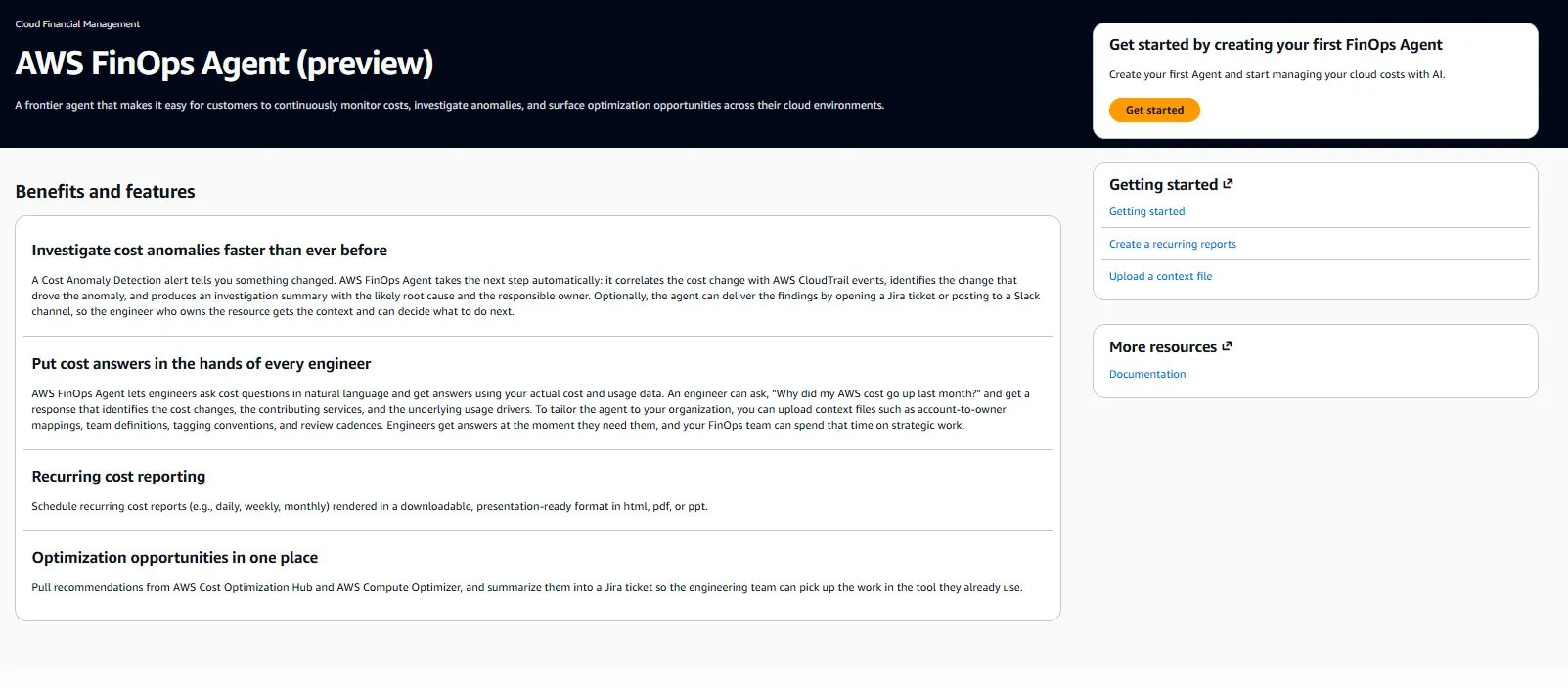
How to enable AWS FinOps Agent?
- Navigate to AWS console with your Administrative User, switch to us-east-1 (N. Virginia Region).
- Click
Get Startedbutton at top right of the screen. - Give a any name to your agent.
- Grant access to the agent on your AWS resources, as well as web, ideally by creating new IAM roles.
- Skip third party integrations for now. Review and create.
- It will take around one minute to create the agent. Once created, click
Open Agentin your dashboard and you can start prompting.
How much does AWS FinOps Agent Cost?
Free. For now, in preview mode, you are not charged for the use. In the future, I expect flat payment or payment by consumption.
Does AWS FinOps Agent Access My Application Data?
No. As long as you don’t add customer related data into your tags, FinOps Agent cannot know anything about your application. The scope is cost. The agent receives required information directly from AWS API, not from your resources. Another note, avoid sharing critical data, including customer data in your prompts, since they are also used by AWS to train the model.
Third Party Integration on AWS FinOps Agent
Currently it’s possible to connect AWS FinOps Agent to JIRA and to Slack. I expect additional integrations to follow, particularly MS Teams, maybe even Discord! Building Slack integration with FinOps agent is easy. Just make sure you are logged in to your Slack workspace and start activating it from FinOps agent dashboard. Follow this official documentation step by step.
First Impressions on AWS FinOps Agent
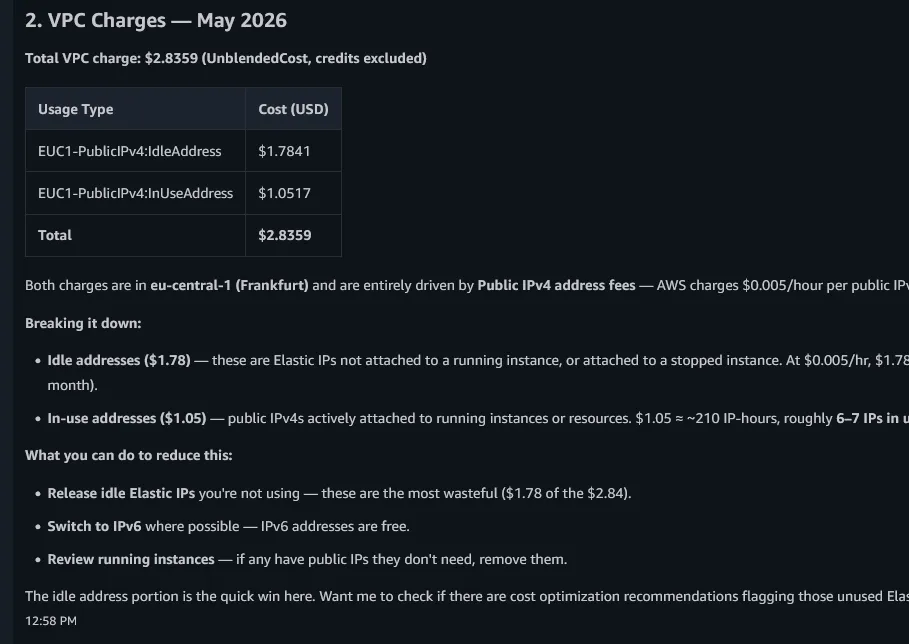
- At first hand, the tool requires nothing more than what dashboards already do. However, it’s ideal to deep dive into details that the user is not able to acquire at first hand. In one of my accounts, I was charged around $3 last month and I was wondering where these costs came from. Looking at the Cost Explorer, I wasn’t able to figure these costs, actually any costs because everything looked $0. Questioning further, FinOps Agent helped me figure that the costs appear as 0 because they were written of by AWS credits I have left over in my account. This could take me a long time to figure without the “conversational context” provided by the agents. So, this is a good user experience.
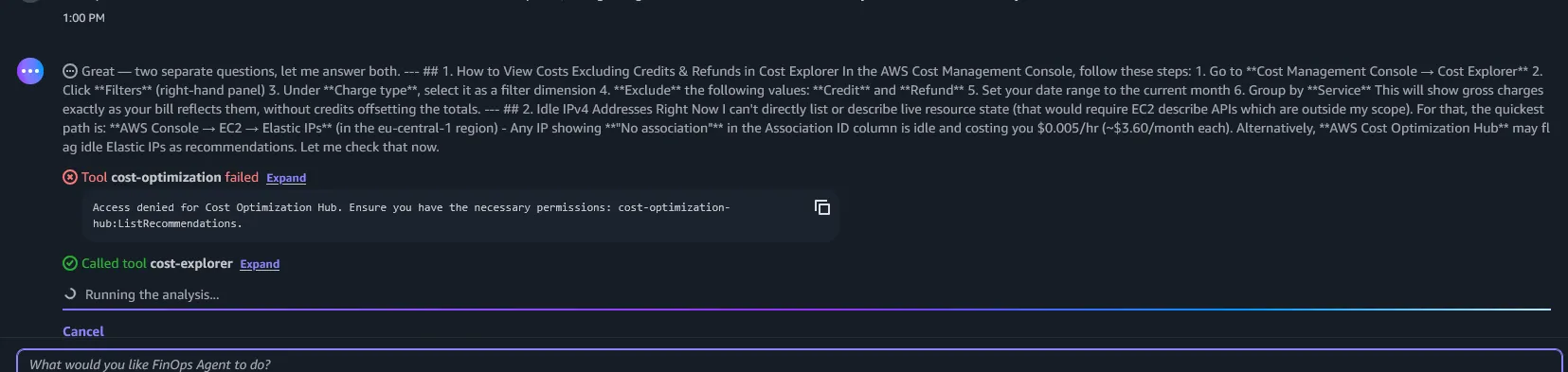
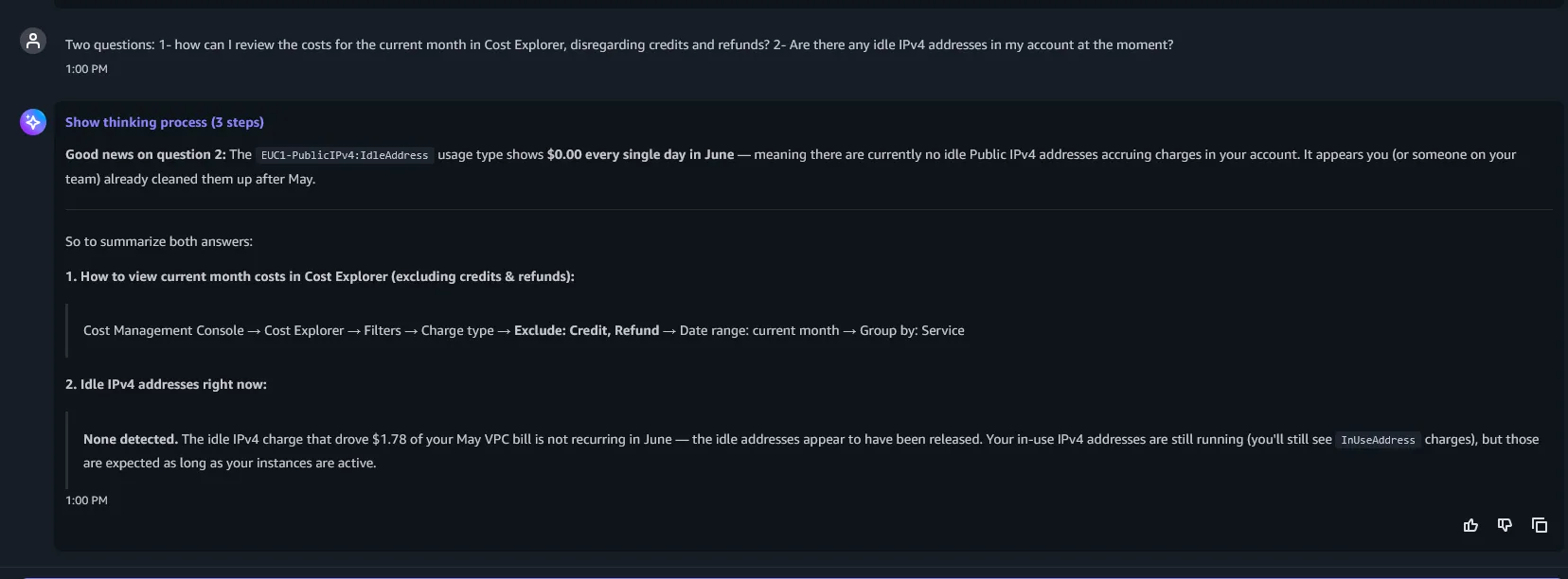
- Following the previous experience, I asked FinOps Agent, how can I view the costs in Cost Explorer graph. In other words, how can I exclude credits to view my costs? I already knew the answer, it is an easy one. Yet FinOps Agent was a bit hesitant to guide me on the solution. Some API calls have failed, and the answer was ignored for a moment. Eventually, and after asking specifically FinOps agent responded with the correct answer: Filters -> Charge Type -> Exclude -> Credit / Refund. I’m hoping the tool will be more keen to provide any information needed in the future.
-
When it comes to cost optimization, a critical motto is you don’t know what you don’t know. End users are barely knowledgeable about the topics. I provided an important input to the agent, that I was charged $3 on VPC last month. Yet the agent blindly returned that I was charged $0 on VPC. At this point, compare the response of the agent to a human. A FinOps expert would investigate the case further and assume that the cost is there, just not visible, until finding out the clue. I believe it’s ideal to train the agents in the future to think smarter and look for the extra depth in user conscience. Otherwise, the tool will remain informative, rather than being progressive.
-
For complex organizations with multiple accounts and organizational units, it’s possible to provide the context by adding a context file. This feature seems currently undervalued, since little to none information is added in the documentation. However, this will be a lifesaver for the administrators when it comes to cost drill down. therefore, I expect further details to be added and more examples followed. Cost calculation is always challenging in complex environments. It is promising to see AWS aims to provide a standard to the document of this by providing a context provision option to its users.
-
Haven’t tried yet, but the tool also has a feature to generate automated reports. This can be done once, or periodically and automatically in
Automationsmenu. If it works fine, so many people will lose their jobs! (kidding, or not actually). Generated reports can be viewed atArtifactsin the agent dashboard, and can be downloaded or shared. -
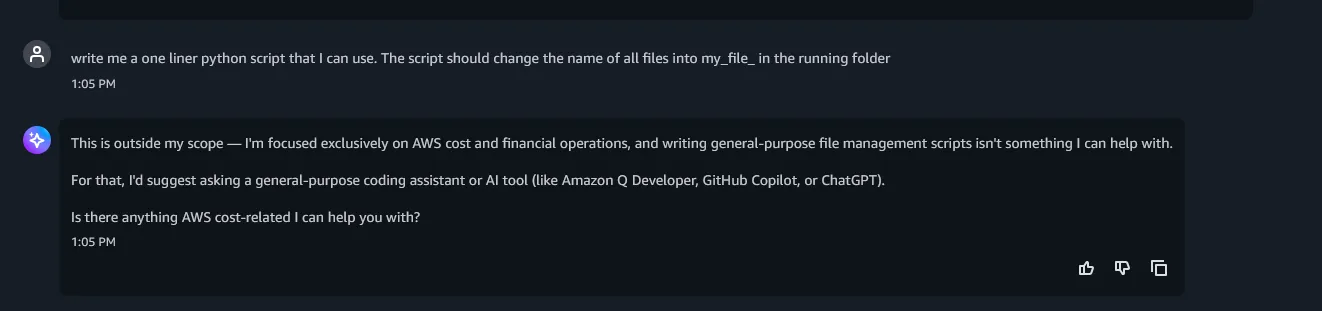
Finally, I tested the tool to provide me something irrelevant. Just for fun, to see if a user with bad intentions can actually exploit the tool. As expected, agent responded that these requirements are outside the scope and rejected my request. Well done AWS FinOps Agent development team!
Final Words on AWS FinOps Agent
The tool is good, worth using, and is for free.
Please give it a try, explore further, and let me know what your experiences are with AWS FinOps Agent.
At first hand, these improvements may seem like no major change, but I believe that it is critical. Access to data and information becomes more “conversational” than operational. This provides further flexibility, and automation into the operations. Not only engineers, administrators, but also executives should become acquainted to this new way of improving things. I consider AWS FinOps Agent as a good candidate to start with getting good at this, if not started already.