
AWS Blocks - Tested With Kiro
What is AWS Blocks?
New York Summit just took place and AWS just announced Blocks. To explain simply: AWS Blocks helps developers to build and deploy common components of applications with a few lines of code. For example, instead of building an entire authentication layer from scratch, the developer writes a few lines of code and the package does the rest. The tool covers commonly used javascript frameworks for now. There are already similar solutions in the market, however none of them are directly integrated to AWS resources.
Think about this: @aws-blocks npm package builds a local solution for your project. Then once deployed to AWS, it’s also creating all the AWS resources needed, to run the component at cloud. As far as I know there is no such thing in the market. If there is, please let me know.
First Steps to Experiment AWS Blocks
Feel free to follow official Getting Started Guide of AWS Blocks to experiment with the tool. After handling several pre-requisites, the command below creates first AWS Blocks application in your local device:
npm create @aws-blocks/blocks-app@latest my-todo-app
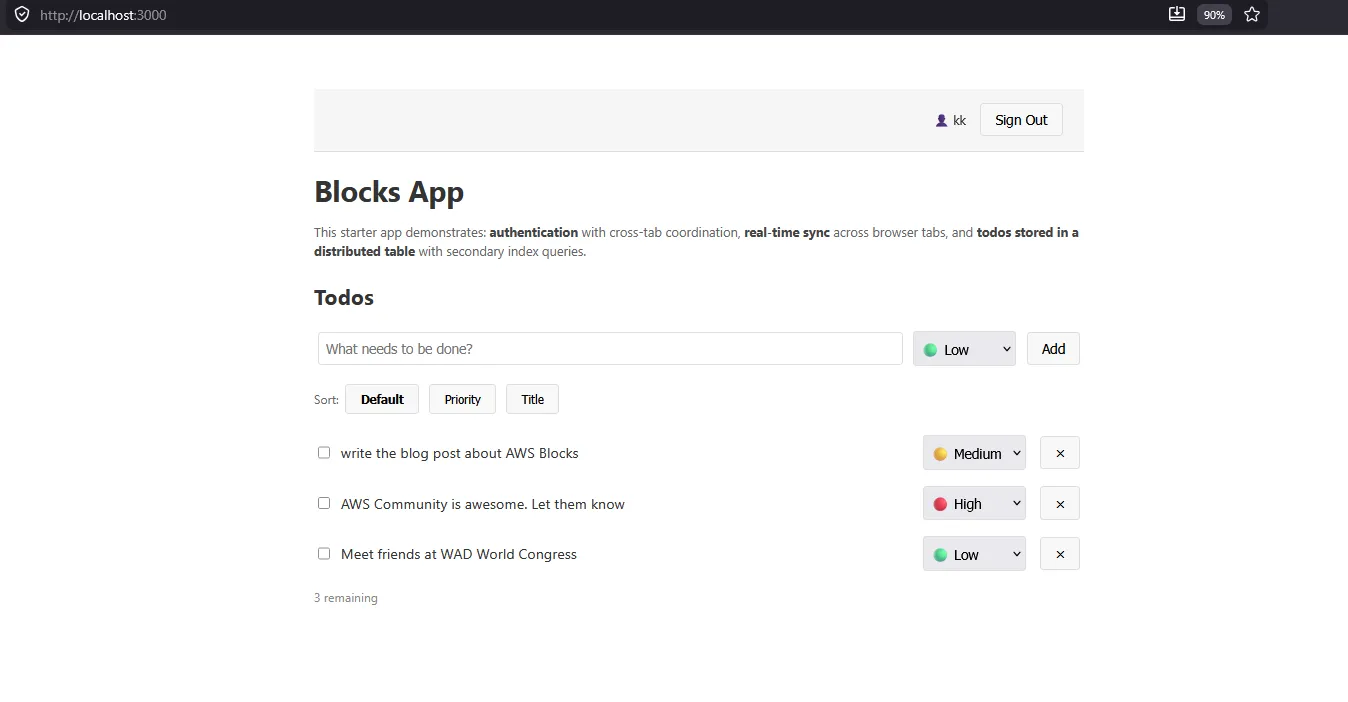
This command builds a “ToDo App” developed by the core team. For the very first time, just to understand what AWS Blocks is and how it works. For the first time discovery this is acceptable. For a regular use of the tool however, this wouldn’t be ideal, since you will have to deal with removing the components and codebase of the ToDo app every time.
Build a Game With AWS Blocks & Kiro
A bit more sophisticated than ToDo App, but also simple enough to discover the potential of AWS Blocks, let’s build Vanilla JS Hangman Game developed way before AI dominated our lives.
- We will create a basic authentication for the users to sign up and sign in with a password authentication process.
- We will deliver the game to visitors who successfully sign in.
- We will also allow visitors to sign out.
- Finally we will make a few cosmetic changes in the game and the website, just to see that this is doable and AWS Blocks doesn’t break.
Step by Step AWS Blocks Development with Kiro
As an alternative to deploy a ToDo app everytime, I recommend running the following command:
- Run
npm create @aws-blocks/blocks-app@latest my-app -- --template bareYes, you need to add multiple dashes twice, and yes you can change “my-app” to however you want to name your project folder. Once done, NPM will build a much more minimal, clean version of an AWS Blocks project that you can start interacting with.
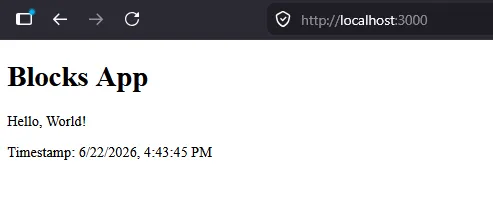
- Run
npm run devin the project folder and visitlocalhost:3000to make sure that the application is up and running. Take your time to discover the folder structure of the project:
- backend is placed under “aws-blocks” folder,
- frontend is placed under “src” folder,
- data is placed temporarily inside “.bb-data” or similar hidden data folders that begin with . and ends with data.
- Navigate to Kiro and open your project. Since AWS Blocks is fresh out of the oven, send the following prompt to introduce AWS Blocks to Kiro:
visit the websites below and learn as much as you can about AWS Blocks:
https://docs.aws.amazon.com/blocks/latest/devguide
https://github.com/aws-devtools-labs/aws-blocks
https://docs.aws.amazon.com/blocks/latest/devguide/cli-reference.html
https://www.npmjs.com/package/@aws-blocks/core
This will help Kiro to catch up with rapidly evolving AWS Blocks and also better understand the use behind.
- As mentioned, I decided to add an authentication layer as first improvement. Following to the ongoing conversation with Kiro, I requested the agent to add a basic authentication into the project by using
BasicAuthfeature of AWS Blocks. To save on tokens, initially I requested Kiro to not implement anything yet, but do the research. Once the heavy lifting done, I confirmed implementation with latest Claude Opus model available.
Follow the same pattern and prompt Kiro to add an authentication layer to your application by using BasicAuth.
Once prompted, you will realise that only four lines of code are added into your backend to provide sign up and sign in flows:
- Definition of AuthBasic as auth:
const auth = new AuthBasic(scope, 'auth'); - Import of
AuthBasicfrom@aws-blocks/blockspackage, - Creation of authApi by
auth.createApi(); - Definition of user by requiring authentication:
const user = await auth.requireAuth(*context*);
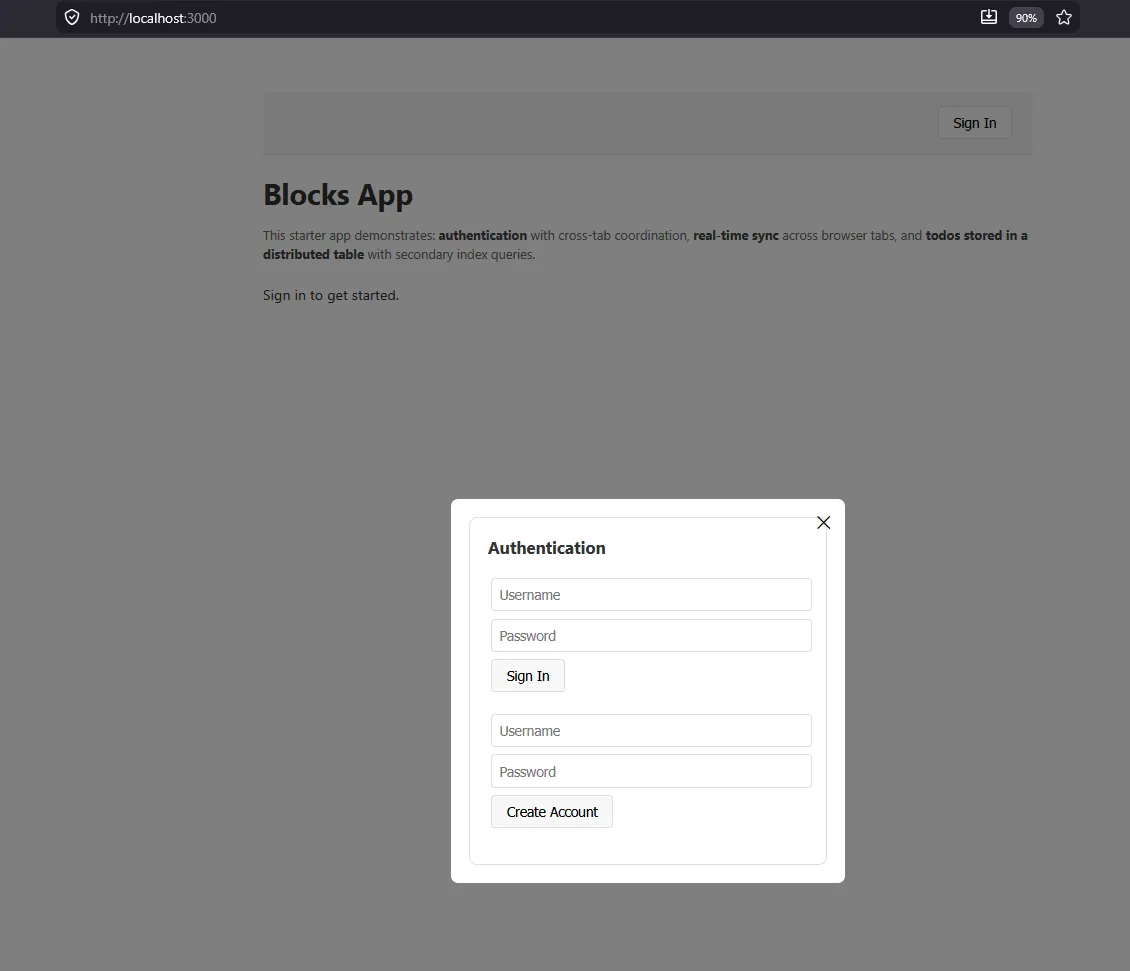
- Strengthen the password policy of your authentication layer. By default,
BasicAuthrequires minimum 8 characters regardless, and this is not good enough. You can prompt the requirements but to save time and tokens, see the improved version of auth definition that can be adjusted:
const auth = new AuthBasic(scope, 'auth', {
  passwordPolicy: {
    minLength: 8,
    requireUppercase: true,   // at least one uppercase
    requireDigits: true,      // at least one digit
    requireSpecialChars: false, // at least one symbol
  },});
- Add the Vanilla JS Hangman Game into your project by cloning:
git clone https://github.com/simonjsuh/Vanilla-Javascript-Hangman-Game game
Alternatively you can also download the package and unzip to a new folder in the project.
- Prompt Kiro to improve the frontend by completing two tasks:
- Create an authentication window at landing page and request user to sign up or sign in.
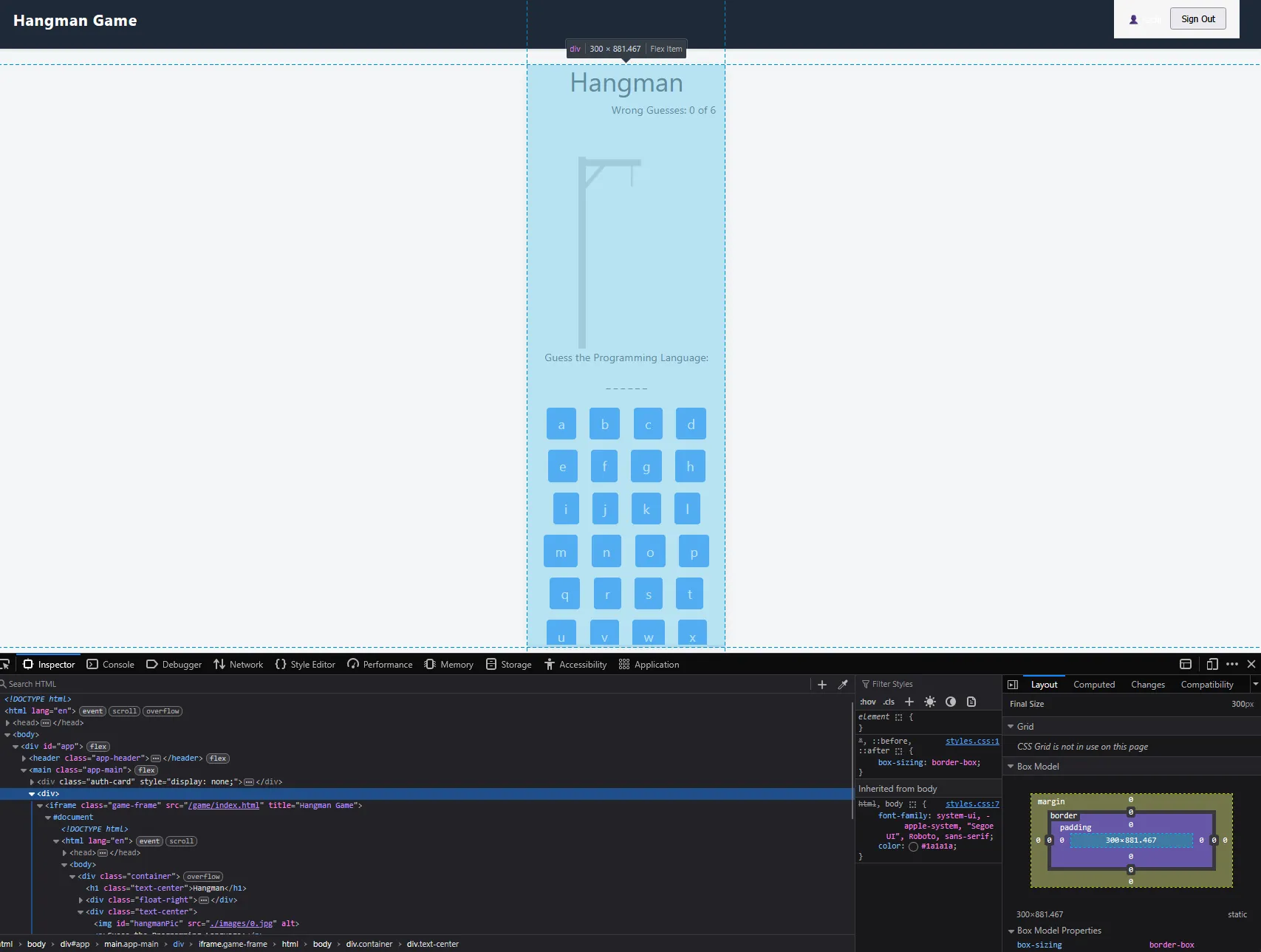
- Once authenticated, serve the game to the user instead of clean blocks app. Only signed in users should be able to view and play the game.
This will lead to handful amount of improvements at your project folder. Various components will be added from @aws-blocks/blocks/ui package. Hangman game will be moved to a public folder. Then further improvements to follow.
- Continue prompting Kiro to do further improvements. Some examples are:
- Placing authentication window in a central position, horizontally and vertically,
- Expanding the size of the hangman game iframe object,
- Making the page responsive (mobile, tablet friendly),
- Allowing the user to sign out,
- Changing colors of the view.
What is Next?
I believe this is already a great start to discover the potential of AWS Blocks, together with Kiro. In another post I am planning to deploy the application to AWS, and share the challenges, find answers to interesting questions below:
- Where does the application deploy and what resources does it create?
- How much does it run to run the application per day or month?
- How easy it is to build a CI/CD pipeline?
- How secure is the application to various scenarios?
If you have any suggestions or thoughts, please reach out to me and let’s build together!
Final Words on First Impressions of AWS Blocks
Just a few years ago I spent more than 2000€ and needed a few weeks to build a basic authentication for the MVP of an application. Today, it takes us less than one hour and a few cents worth of token to build the same.
Is it production level ready? I doubt and say no. But is it a great start? Absolutely yes. Tools like AWS Blocks excite me, since it bears a potential to create a fullstack developers out of all of us.
So, can’t wait to build more tools and discover AWS Blocks further!